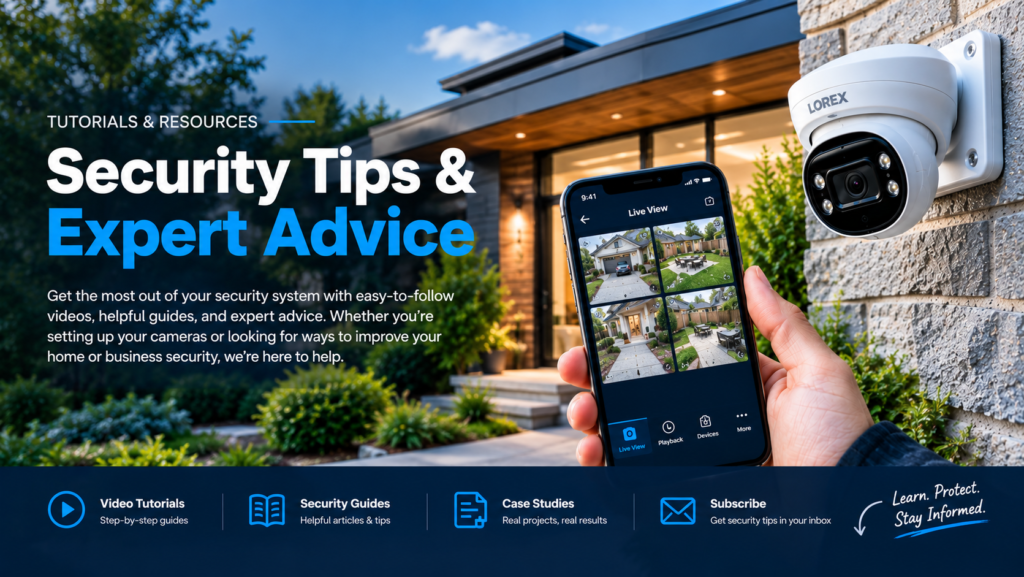
Security Camera Tutorials & Guides
Security camera tutorials can help homeowners and businesses understand security cameras, installation, system setup, troubleshooting, recording equipment, and other security technologies.
Furthermore, Stellar Security creates practical educational content to help you better understand security camera systems and security solutions.
Whether you are researching a new system, troubleshooting an existing setup, or learning how security cameras work, our tutorials and videos provide useful information.
Security Camera Tutorials
Our security camera tutorials cover common questions about cameras, recording equipment, installation, configuration, and everyday use.
In addition, you can explore selected videos from the Stellar Security YouTube channel below.
Security Camera Installation Tutorials
First, learn more about security camera installation, camera placement, wiring, and system setup.
VIDEO 1 – SECURITY CAMERA INSTALLATION
[INSERT YOUTUBE VIDEO]
VIDEO 2 – SECURITY CAMERA INSTALLATION
[INSERT YOUTUBE VIDEO]
Security Camera Setup Tutorials
Next, learn how security camera systems are configured and connected after installation.
For example, these tutorials may cover:
- Camera setup
- NVR configuration
- Recording settings
- Network connections
- Remote viewing
- Mobile applications
- Camera testing
VIDEO – SECURITY CAMERA SETUP
[INSERT YOUTUBE VIDEO]
Security Camera Troubleshooting
Security camera systems can occasionally experience problems. Therefore, understanding the basics can help identify potential issues.
For example, our tutorials may cover:
- Cameras showing no image
- Recording problems
- Network connectivity
- Remote viewing issues
- Camera disconnections
- NVR problems
- Power and PoE issues
As a result, these videos can help you understand common problems before requesting service.
VIDEO – SECURITY CAMERA TROUBLESHOOTING
[INSERT YOUTUBE VIDEO]
Security Camera Buying Guides
Choosing security cameras can be confusing because there are many different camera types, resolutions, recording systems, and features.
Therefore, our tutorials explain common security camera options and what to consider before purchasing equipment.
For example, topics may include:
- 4K security cameras
- IP cameras
- PoE cameras
- Wi-Fi cameras
- Indoor cameras
- Outdoor cameras
- NVR systems
- Camera lenses
- Night vision
- Storage requirements
In addition, these guides can help you understand the differences between common security camera technologies.
VIDEO – SECURITY CAMERA BUYING GUIDE
[INSERT YOUTUBE VIDEO]
Security Camera Installation Tips
Proper installation can make a difference in the usefulness of a security camera system.
For example, camera height, viewing angle, lighting, cable routing, and positioning can affect the final result.
Therefore, our tutorials can help explain:
- Where to install security cameras
- How high cameras should be mounted
- How to position cameras
- How to reduce blind spots
- How to run security camera cables
- How PoE cameras work
- How to connect cameras to an NVR
Furthermore, understanding these factors can help property owners plan their security camera systems more effectively.
VIDEO – SECURITY CAMERA INSTALLATION TIPS
[INSERT YOUTUBE VIDEO]
Security Camera NVR Tutorials
Network Video Recorders, or NVRs, provide centralized recording for compatible IP security cameras.
Depending on the system, an NVR can provide live viewing, recording, playback, storage, and other features.
Therefore, our tutorials can help explain:
- What an NVR does
- How to connect cameras to an NVR
- NVR recording settings
- Hard drive storage
- Playback
- Remote viewing
- NVR troubleshooting
In addition, understanding the NVR can make it easier to manage a compatible security camera system.
VIDEO – NVR SECURITY CAMERA GUIDE
[INSERT YOUTUBE VIDEO]
Home Security Camera Tutorials
Homeowners often have questions about where cameras should be installed and which equipment may suit their property.
Therefore, our residential tutorials focus on practical topics such as:
- Front door cameras
- Driveway cameras
- Garage cameras
- Backyard cameras
- Outdoor security cameras
- Video doorbells
- Remote viewing
- Night vision
For example, a tutorial can explain how different camera locations affect coverage around a home.
VIDEO – HOME SECURITY CAMERA GUIDE
[INSERT YOUTUBE VIDEO]
Commercial Security Camera Tutorials
Commercial properties can require different security considerations than residential properties.
For example, businesses may need cameras covering entrances, parking areas, inventory, loading areas, employee entrances, and other locations.
Therefore, our commercial tutorials can cover:
- Commercial camera placement
- Business security cameras
- Warehouse cameras
- Retail security cameras
- Office security cameras
- Commercial NVR systems
- Remote business surveillance
In addition, these tutorials can help businesses understand the considerations involved in planning a commercial system.
VIDEO – COMMERCIAL SECURITY CAMERA GUIDE
[INSERT YOUTUBE VIDEO]
Security Camera Questions & Answers
Below are answers to some of the questions customers commonly ask about security cameras and security systems.
What is the best security camera system?
There is no single system that works for every property. Instead, the appropriate system depends on the property’s layout, camera locations, lighting, recording requirements, network infrastructure, and other requirements.
For example, a homeowner may have different requirements than a warehouse or commercial property.
Therefore, the system should be selected according to the property’s specific needs.
How many security cameras do I need?
The number of cameras depends on the size and layout of the property.
For example, a smaller home may require cameras covering the front entrance, driveway, and rear access point. Meanwhile, a larger property may require additional cameras around garages, side entrances, parking areas, or other locations.
As a result, camera count should be based on the areas requiring coverage.
Where should security cameras be installed?
Security cameras are commonly installed around entrances, driveways, garages, parking areas, exterior doors, walkways, and other important access points.
However, camera placement depends on the property.
In addition, camera height, viewing angle, lighting, and potential obstructions should be considered before installation.
Are wired security cameras better than Wi-Fi cameras?
Wired and Wi-Fi cameras each have different characteristics.
For example, wired IP/PoE cameras can provide a dedicated network connection and are often suitable for permanent installations. On the other hand, Wi-Fi cameras can provide flexibility where running network cable is difficult.
Therefore, the appropriate option depends on the property and installation requirements.
What is a PoE security camera?
PoE stands for Power over Ethernet.
A PoE security camera can receive power and network connectivity through a compatible Ethernet cable. As a result, one cable can handle both functions.
Furthermore, PoE systems are commonly used with NVR-based security camera installations.
What is an NVR?
An NVR, or Network Video Recorder, is a recording device designed to work with compatible IP security cameras.
Depending on the system, an NVR can record multiple cameras, store footage, provide playback, and support live viewing.
Furthermore, compatible systems may allow remote access.
How long do security cameras record?
Recording time depends on several factors, including the number of cameras, resolution, frame rate, recording mode, hard-drive capacity, and desired retention period.
For example, continuous recording generally uses more storage than motion-based recording.
Therefore, storage should be selected according to the number of cameras and desired recording period.
Can security cameras record at night?
Yes. Many security cameras are designed for nighttime or low-light operation.
Depending on the camera, this may involve infrared illumination, low-light sensors, or other technologies.
However, nighttime performance depends on the camera, lighting conditions, distance, and surrounding environment.
Can I view my security cameras from my phone?
Many modern security camera systems support remote viewing through a compatible mobile application.
However, remote viewing depends on the camera system, NVR, network configuration, internet connection, and manufacturer-supported software.
Therefore, compatibility should be confirmed before relying on a specific remote-viewing feature.
Do security cameras need Wi-Fi?
Not necessarily.
For example, many IP/PoE camera systems use Ethernet cabling rather than Wi-Fi. In contrast, wireless cameras typically rely on Wi-Fi for network connectivity.
Therefore, network requirements depend on the type of security camera system.
How high should security cameras be mounted?
Camera height depends on the property, camera type, viewing area, and desired field of view.
Generally, cameras should be positioned high enough to reduce tampering while still providing a useful image.
However, mounting too high can reduce useful detail. Therefore, camera positioning should balance security, viewing angle, and image quality.
What is the difference between 4K and 1080p security cameras?
4K cameras provide a higher image resolution than 1080p cameras.
As a result, 4K can provide more image detail when the camera, recording equipment, storage, and viewing conditions support it.
However, resolution is only one factor. Camera placement, lens selection, lighting, and image processing also affect the final result.
Do security cameras require professional installation?
Not every camera requires professional installation. However, professional installation can be useful for larger wired systems or properties requiring multiple cameras.
For example, professional installation can help with camera placement, cable routing, PoE connections, NVR configuration, and system testing.
Therefore, professional installation can be particularly useful when a system requires multiple components or extensive cabling.
Can security cameras be installed on an existing property?
Yes. Security cameras can often be installed on existing homes and commercial properties.
First, the property can be assessed to determine practical camera locations and cable routes. Then, the appropriate equipment and installation approach can be determined.
As a result, existing buildings can often accommodate new security camera systems.
How much does a security camera system cost?
Security camera system costs vary depending on the number of cameras, equipment, recording requirements, cabling, installation complexity, and property layout.
Therefore, a small residential system may have very different requirements from a large commercial installation.
In addition, equipment choices and installation requirements can affect the overall project cost.
Do security cameras work without internet?
Some security camera systems can continue recording locally without an active internet connection.
For example, cameras connected to a local NVR can record footage directly to local storage.
However, you may need internet access for remote viewing, cloud services, notifications, and other connected features.
Therefore, your system’s network requirements depend on the features you want to use.
How do I fix a security camera with no picture?
First, check whether the camera receives power. Next, check the network or cable connection and confirm that the camera connects to the NVR or network.
If the issue continues, check the camera, cable, PoE connection, network configuration, and recording equipment.
Therefore, start troubleshooting with power and connection checks before testing configuration or equipment.
Security Camera Tutorial Resources
Our tutorials complement the security services and installations that Stellar Security provides.
In addition, you can explore our service pages for more information about security camera and security system solutions.
SECURITY CAMERA INSTALLATION →
RESIDENTIAL SECURITY SERVICES →
COMMERCIAL SECURITY SERVICES →
Watch More Stellar Security Tutorials
New tutorials and educational videos can be added to this page as they become available.
Therefore, check back for additional videos covering security camera installation, equipment, troubleshooting, system setup, and other common security questions.
In addition, you can visit the Stellar Security YouTube channel for the latest available videos.
VISIT THE STELLAR SECURITY YOUTUBE CHANNEL →
Link: [INSERT YOUTUBE CHANNEL LINK]
Tutorial Images
Adding original screenshots or images from your videos can provide additional visual information.
Furthermore, these images can help visitors understand the equipment and installation topics discussed in each tutorial.
Security Camera Installation Tutorial
[INSERT IMAGE]
Alt text: Security camera installation tutorial
Security Camera Setup Tutorial
[INSERT IMAGE]
Alt text: Security camera setup tutorial
Security Camera Troubleshooting Tutorial
[INSERT IMAGE]
Alt text: Security camera troubleshooting tutorial
NVR Security Camera Tutorial
[INSERT IMAGE]
Alt text: NVR security camera tutorial
Need Help With Your Security System?
Tutorials can help you understand your options. However, every property has different requirements.
Therefore, if you need help choosing, installing, upgrading, or troubleshooting a security camera system, Stellar Security can assess your requirements and determine the appropriate next step.
First, we review the property and identify the areas that require coverage. Next, we can determine suitable equipment and installation requirements.
Furthermore, we can configure and test the equipment as required for the project.
As a result, you can move forward with a security solution designed around your property.
Privacy and Video Surveillance
Video surveillance should be implemented with privacy in mind.
Furthermore, businesses and property owners should understand their responsibilities when collecting and storing recorded images.
For additional information, see the Information and Privacy Commissioner of Ontario’s video surveillance guidance.